

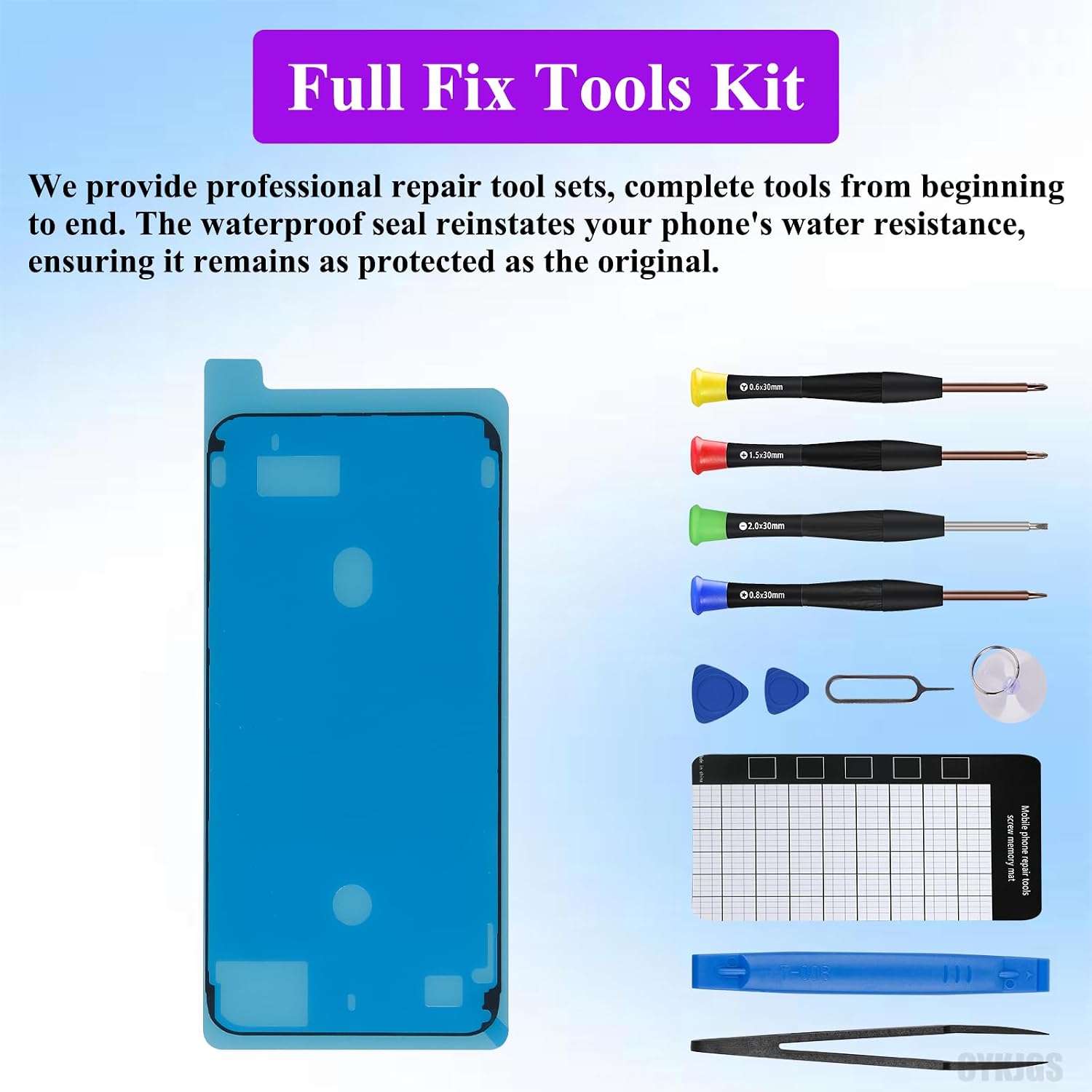
for iPhone 14 Pro Max Earpiece Ear Speaker Flex Cable Replacement for iPhone 14promax Proximity Sensor Flex Cable with Full Repair Fix Tools Kit Waterproof for A2651 A2893 A2894 A2895 A2896
US$11.99
Price when purchased online
Free shipping
Free 30-day returns
Sold and shipped by sfelr.org
We aim to show you accurate product information. Manufacturers, suppliers and others provide what you see here.
Product details
| Management number | 234031889 | Release Date | 2026/06/27 | List Price | US$11.99 | Model Number | 234031889 | ||
|---|---|---|---|---|---|---|---|---|---|
| Category | |||||||||
- Compatible: The earpiece flex cable is only for iPhone 14 pro max (Models: A2649, A2881, A2882, A2883, A2884). NOT compatible with other models. You need to confirm your mobile phone model before purchasing. You can go to mobile phone settings - general - about - mobile model, check your mobile phone model
- Package List: We offer a full range of professional repair tools to facilitate your repair from beginning to end. The earpiece flex cable replacement kit is equipped with essential accessories, repair tools, waterproof stickers, and magnetic screw pads. The waterproof seal effectively restores your phone's water resistance, ensuring it is protected like the original. The included magnetic pad assists in organizing screws during assembly, preventing the loss of any components
- Premium Quality: Each earpiece flex cable replacement is carefully double tested according to our stringent quality control standards. With a flex cable made from high-quality materials, you can be assured of its durability during installation, allowing for a confident purchase
- Easy Installation: To avoid any accidental losses, please read the online tutorial before installation. Tip: Always turn off your phone before replacing the screen; unplug the battery flex first to mitigate any abnormal issues; and use a hairdryer to soften the adhesive, making it simpler to remove the screen
- Solve a variety of issues with the ear speaker flex cable: including flex cable damage, cracks, loose connections, and proximity sensor problems


Bestseller ranking
Finance






Customers who viewed this product also viewed
Kids' Storage Bins
Correction of product information
If you notice any omissions or errors in the product information on this page, please use the correction request form below.
Correction Request Form